
Design for everyone, and you design for the future.
Accessibility & Inclusive Design
Here's the secret The Mundane doesn't want you to know: the path out of Business World isn't a narrow plank only some people can walk. It's a bridge — and a bridge is only as good as who can cross it. Every time a site ships with images nobody can hear, buttons nobody can reach by keyboard, or text too faint to read, The Mundane quietly builds a wall and leaves someone stranded on the wrong shore.
Around 1 in 4 adultslives with a disability. For any organization, an inaccessible website isn't just a legal risk — it turns away the very people you exist to serve. Masked Crewsader floats above Business World as the champion of mindful, universal designfor exactly this reason. Building the bridge wide enough for everyone is the most Island-Pitch thing there is. Let's build it.
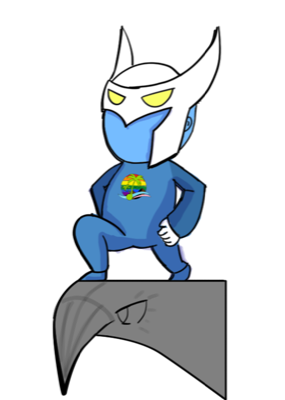
Accessibility isn't a feature you add for 'them.' It's how you build for everyone — including future-you, squinting at your phone in the sun. Leave no one stranded in Business World.
Most of accessibility is free if you do it right: semantic HTML, real labels, alt text, keyboard support, enough contrast. Aim for WCAG 2.2 AA — it's the same standard the US, Canada, and the EU all point to. Do it once, cover the world. #AutomateThis!
Start with WCAG and the POUR principles
The Web Content Accessibility Guidelines (WCAG 2.2)are the global technical standard. They're organized around four ideas — content should be Perceivable, Operable, Understandable, and Robust (POUR). Aim for Level AA, the bar nearly every law expects.
Perceivable
People can perceive the content — alt text on images, captions on video, text that doesn't rely on color alone, and strong contrast.
Operable
People can operate it — everything works with a keyboard, nothing flashes dangerously, and there's enough time to act.
Understandable
People can understand it — plain language, predictable navigation, and clear, helpful error messages on forms.
Robust
It works with assistive tech — semantic HTML and proper labels so screen readers and other tools can read it now and later.
The Crew's playbook: an accessibility checklist
- 1
Add meaningful alt text
Describe what images convey. Mark purely decorative images as decorative so screen readers skip them.
- 2
Make everything keyboard-operable
Tab through your whole site. If you can't reach or use something without a mouse, neither can many of your visitors.
- 3
Hit color-contrast targets
WCAG AA wants 4.5:1 for normal text. Don't carry meaning with color alone — pair it with text or an icon.
- 4
Caption video and transcribe audio
Captions help Deaf and hard-of-hearing visitors — and everyone watching with the sound off.
- 5
Use semantic HTML and label your forms
Real headings, buttons, and labels give assistive tech the structure it needs. This is most of accessibility, for free.
- 6
Show visible focus and clear errors
Keyboard users need to see where they are; everyone needs error messages that say how to fix the problem.
- 7
Make your documents and PDFs accessible too
Grant reports, flyers, and social posts count. Tag PDFs, add image descriptions, and don't bury text in a picture.
The accessibility quick-audit worksheet
You don't need expensive tools to find most barriers. Run these five checks on any page in an afternoon — every one of them is free — and mark each row as you go:
| What to check | Why it matters | How to check (free) | Pass? |
|---|---|---|---|
| Color contrast | Faint text leaves out low-vision readers and anyone in bright sun. | Drop your text and background colors into the WebAIM contrast checker — aim for 4.5:1. | ✓ / ✗ |
| Keyboard navigation | Many people never use a mouse; if they can't reach it, they can't use it. | Tab through the whole page. Can you reach every link, button, and field — and see where you are? | ✓ / ✗ |
| Alt text on images | Screen readers announce alt text; without it, the image is invisible. | Right-click an image and inspect it, or use the WAVE browser extension to flag missing alt. | ✓ / ✗ |
| Form labels | Unlabeled fields leave assistive-tech users guessing what to type. | Click each field's visible label — the cursor should jump into the field. WAVE flags missing labels too. | ✓ / ✗ |
| Heading order | Screen-reader users navigate by headings; skipped levels break the map of the page. | Use the WAVE or HeadingsMap extension to view the outline — one H1, then H2s and H3s in order. | ✓ / ✗ |
These five catch the barriers that turn people away most often — but they're a first pass, not the finish line. Pair them with a real screen-reader run, and the version of this worksheet that has a ✓ in every row is the one that lets everyone cross.
The laws: US-first, but the bridge reaches farther
Accessibility law follows your audience, not just your mailing address. Most US organizations anchor on US rules — but if you serve people in Canada or Europe, theirs can apply too. The relief: they're all built on WCAG, so meeting WCAG 2.2 AA satisfies the substance of all of them at once.
🌍 The global baseline
WCAG 2.2 (W3C)The Web Content Accessibility Guidelines are the technical standard nearly every law points to. Levels A, AA, AAA — aim for AA. This is your north star everywhere.
🇺🇸 United States (primary)
ADA · Section 508 · Section 504The ADA covers most businesses and organizations as places of public accommodation; courts read it to require accessible websites, and a 2024 DOJ rule sets WCAG 2.1 AA for state/local government. Section 508 covers federal agencies and many federally funded programs.
🇨🇦 Canada
Accessible Canada Act · AODAThe federal Accessible Canada Act drives toward a barrier-free Canada by 2040. Ontario's AODA already requires WCAG 2.0 AA for many organizations, and other provinces are following.
🇪🇺 Europe
European Accessibility Act · EN 301 549The EAA became enforceable on 28 June 2025 for a wide range of digital products and services. EN 301 549 is the harmonized standard — and it, too, is built on WCAG. If you serve people in the EU, this reaches you.
Island Pitch builds to WCAG 2.2 AA and teaches accessibility at Knowbility AccessU. Want to see our own commitment? Read our Accessibility Statement.
How Chaos & The Mundane win
- Bolting on an "accessibility overlay" widget and calling it done — it isn't, and it can make things worse.
- Trusting an automated checker alone, which misses roughly two-thirds of real barriers.
- Retrofitting accessibility at the very end instead of designing for it from the start.
- Forgetting PDFs, flyers, and social media — inaccessible documents leave people out too.
Common questions
▸ What standard should our organization actually follow?
Target WCAG 2.2 Level AA. It's the technical standard that US, Canadian, and European laws all point to, so meeting it satisfies the substance of nearly every requirement at once. Aim for AA — A is too low, AAA is rarely required across a whole site.
▸ We're US-based. Do the Canadian and European rules matter to us?
They can. Accessibility law follows your audience, not just your address. If people in Ontario use your services (AODA) or you serve anyone in the EU (the European Accessibility Act, enforceable June 2025), those rules can apply. The good news: they're all built on WCAG, so doing it once covers you broadly.
▸ Can't we just install an accessibility overlay or widget?
No — overlays are not a fix. The automated widgets that promise instant compliance routinely fail to make sites usable, can interfere with the assistive tech people already use, and have been named in lawsuits. Real accessibility is built into your content and code, not bolted on.
▸ Isn't an automated accessibility checker enough?
Automated tools catch only about a third of issues. They're a useful first pass, but you also need keyboard testing and a real screen-reader check. Better still: include people with disabilities in your testing.
The next leg of the journey
Prefer a story? See these ideas play out in our comic-book field guide, The Bridge to the Storefront.
Ready to reach your Pitch?
You don't need a full-time CTO to do this right. Island Pitch works as your Fractional CTO — senior technology leadership at a nonprofit's budget, helping you choose well, lock the doors, and sleep at night.
Get the whole field manual
The full Right-Way Tech Guide — all seven chapters, including the accessibility checklist and the law map.
The field manual is yours — grab it now.
Our signup form is being upgraded. In the meantime, here's the full PDF — no form to fill out.
Download the field manual (PDF)Want occasional tech tips by email too? Talk to a Fractional CTO above — we'll get you on the list.